01. OVERVIEW

02. ROLE
Defined user flows based on seller behavior
I started by understanding how sellers manage their product listings, especially the steps involved in adding, editing, and monitoring products. Based on these insights, I defined a clear user flow that allows sellers to manage their inventory smoothly from creating new listings to updating existing ones while minimizing friction.
Created wireframes and UI design
After finalizing the user flow, I created low-fidelity wireframes to visualize layout and functionality. These were refined through team feedback, then translated into high-fidelity UI designs using Figma. I focused on creating an intuitive layout that improves efficiency and aligns with Jakmall’s design system.
Collaborated with the product manager and developer to refine the feature
I worked closely with the product manager to ensure that both user needs and business requirements were met. I also coordinated with developers to ensure that each design was technically feasible and refined the UI based on their feedback for smoother implementation.
03. PROBLEM AND SOLUTION
Problem
Managing a large number of products was challenging for sellers due to an inefficient and cluttered interface. The lack of clear stock indicators and grouped information made it hard to quickly identify low or inactive items. Sellers also struggled with repetitive manual updates, such as editing stock and prices for each product individually. This led to slower workflows and increased the chances of operational errors, especially for businesses with high product volume or multi-channel selling.
Solution
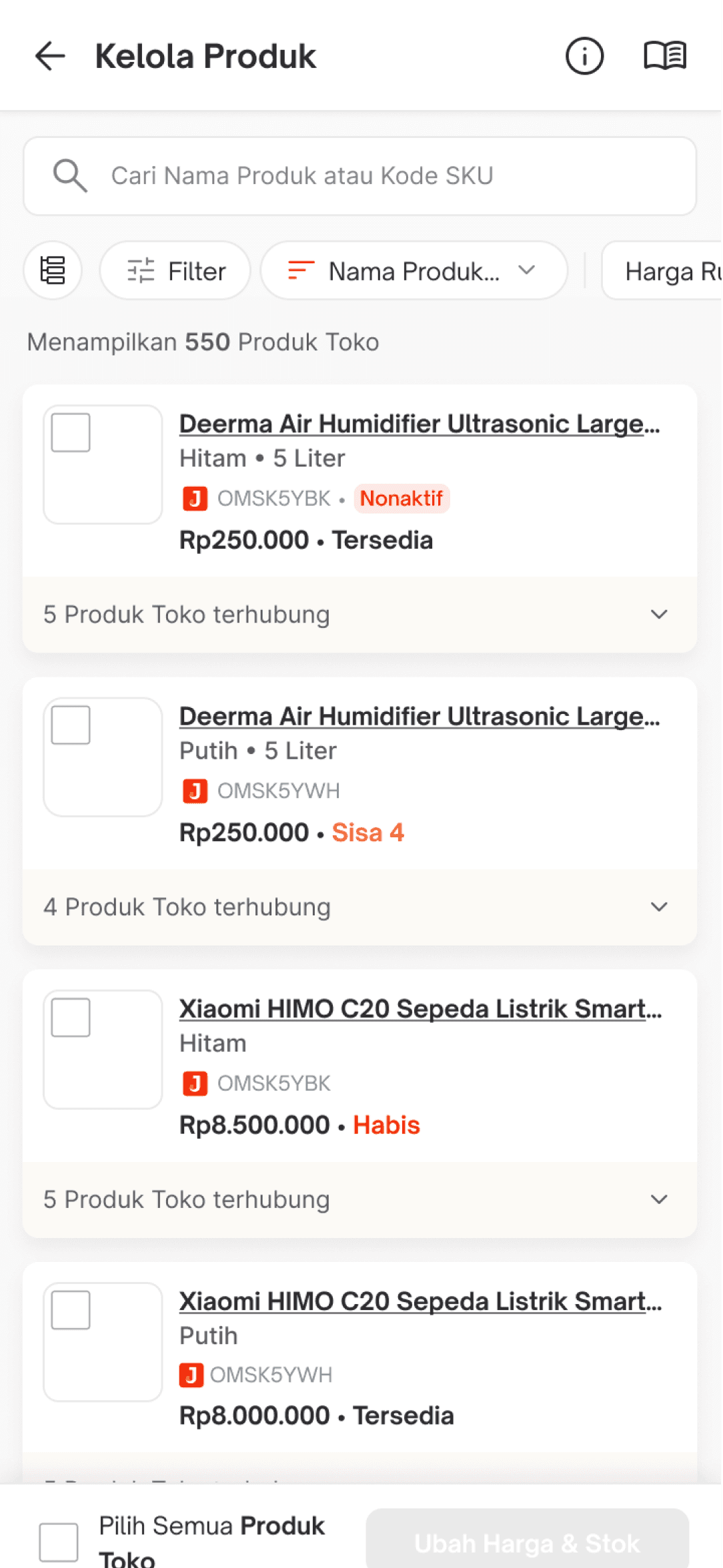
I redesigned the Kelola Produk feature to simplify product management for sellers handling large inventories. I introduced clearer visual hierarchy, color-coded stock status, and an improved filter system to help sellers quickly find and assess product performance.
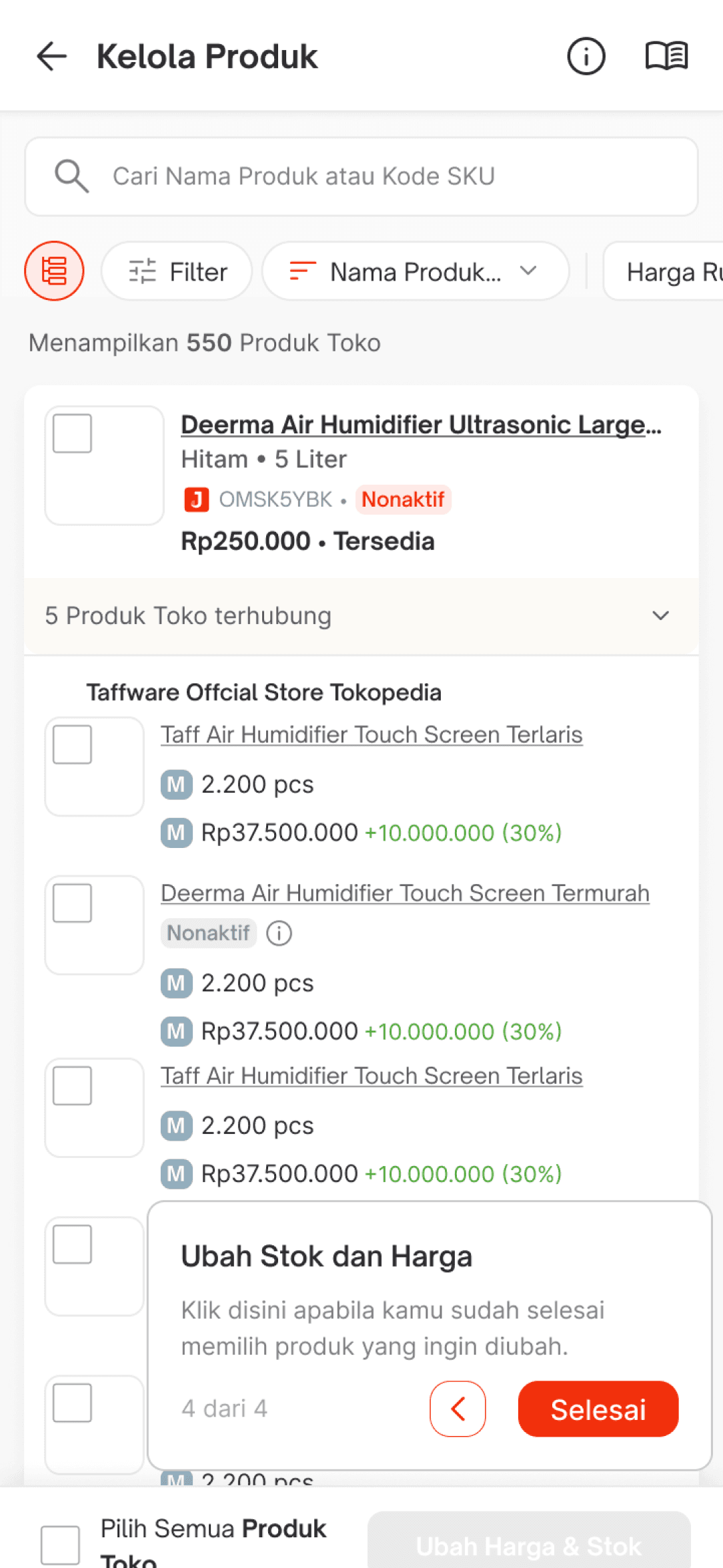
The new design supports batch actions with a sticky bottom bar, enabling users to update stock and prices across multiple products efficiently. I also made it easier to view product variants and stock status across channels at a glance, reducing the time needed for repetitive tasks.
04. HIGH FIDELITY DESIGN
Product List
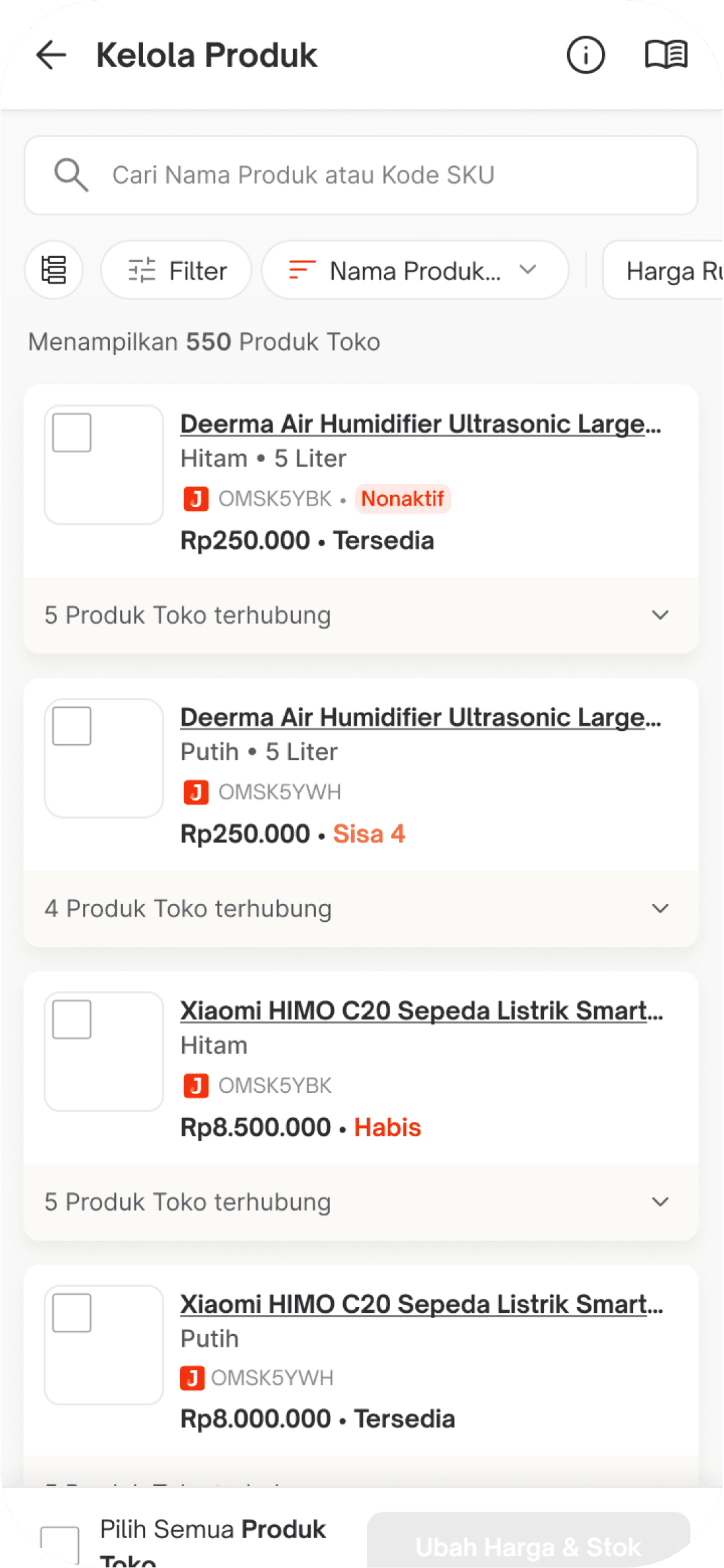
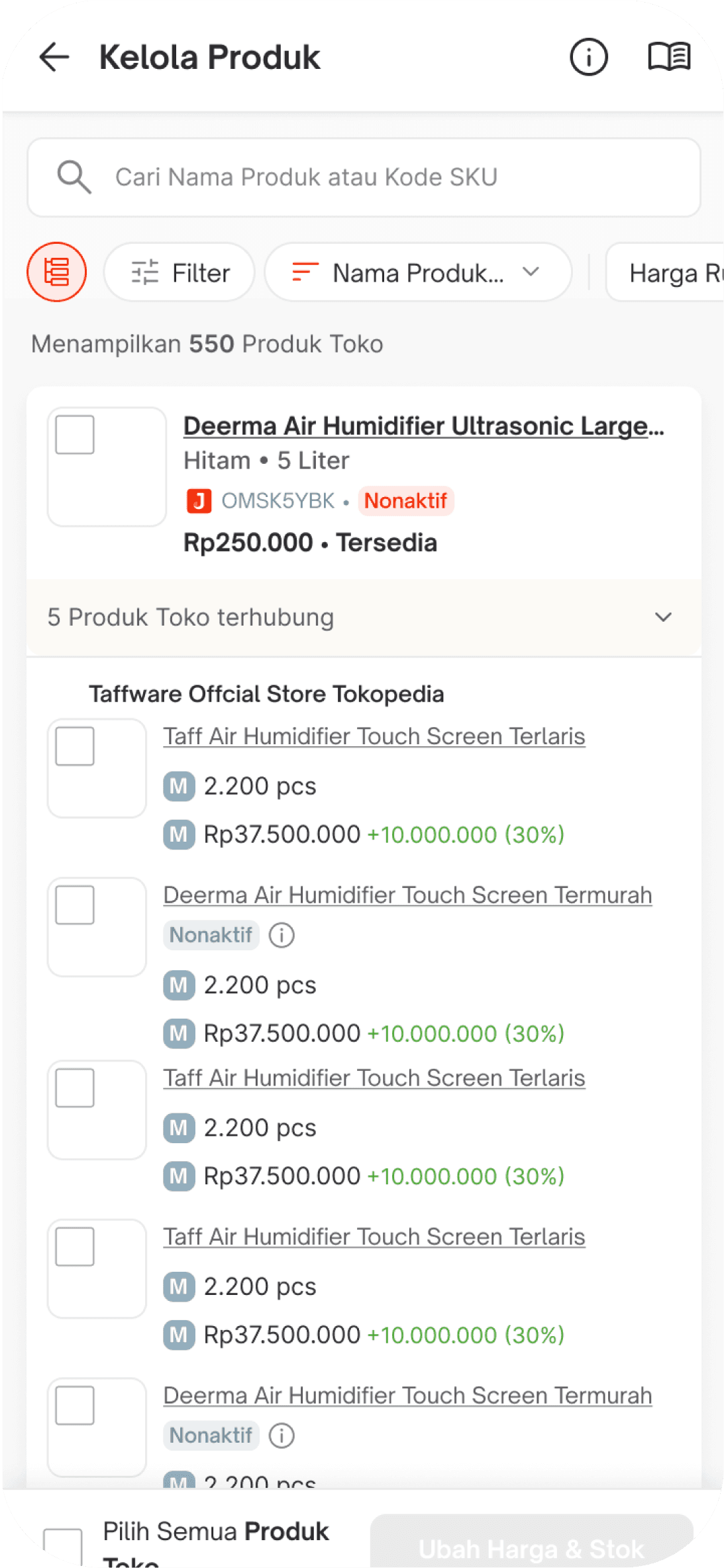
All store products connected to Jakmall are displayed here. The store products are grouped based on their corresponding Jakmall products. You can select a product to edit by clicking the checkbox. It’s possible to select one or multiple products at once, allowing for easier bulk management and updates.


Change Price and Stock
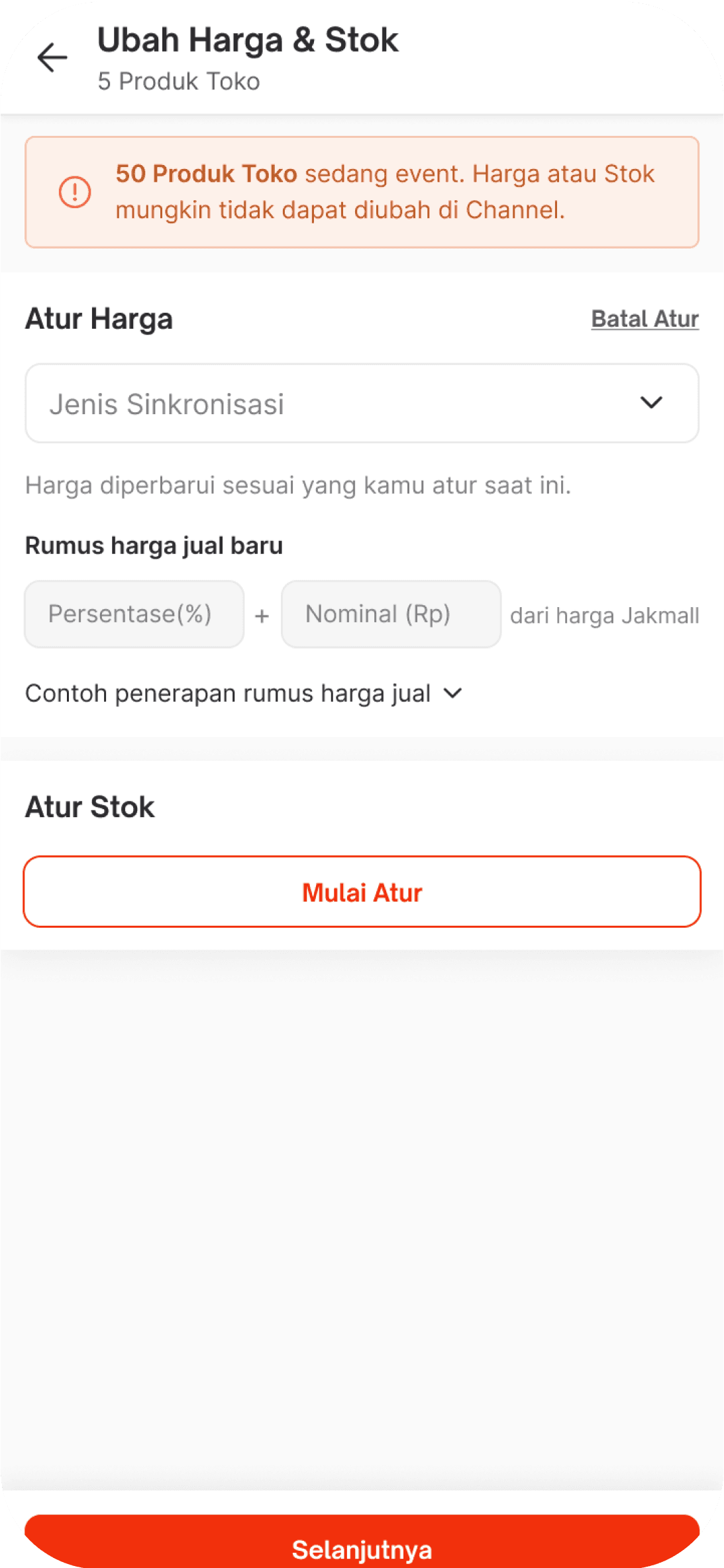
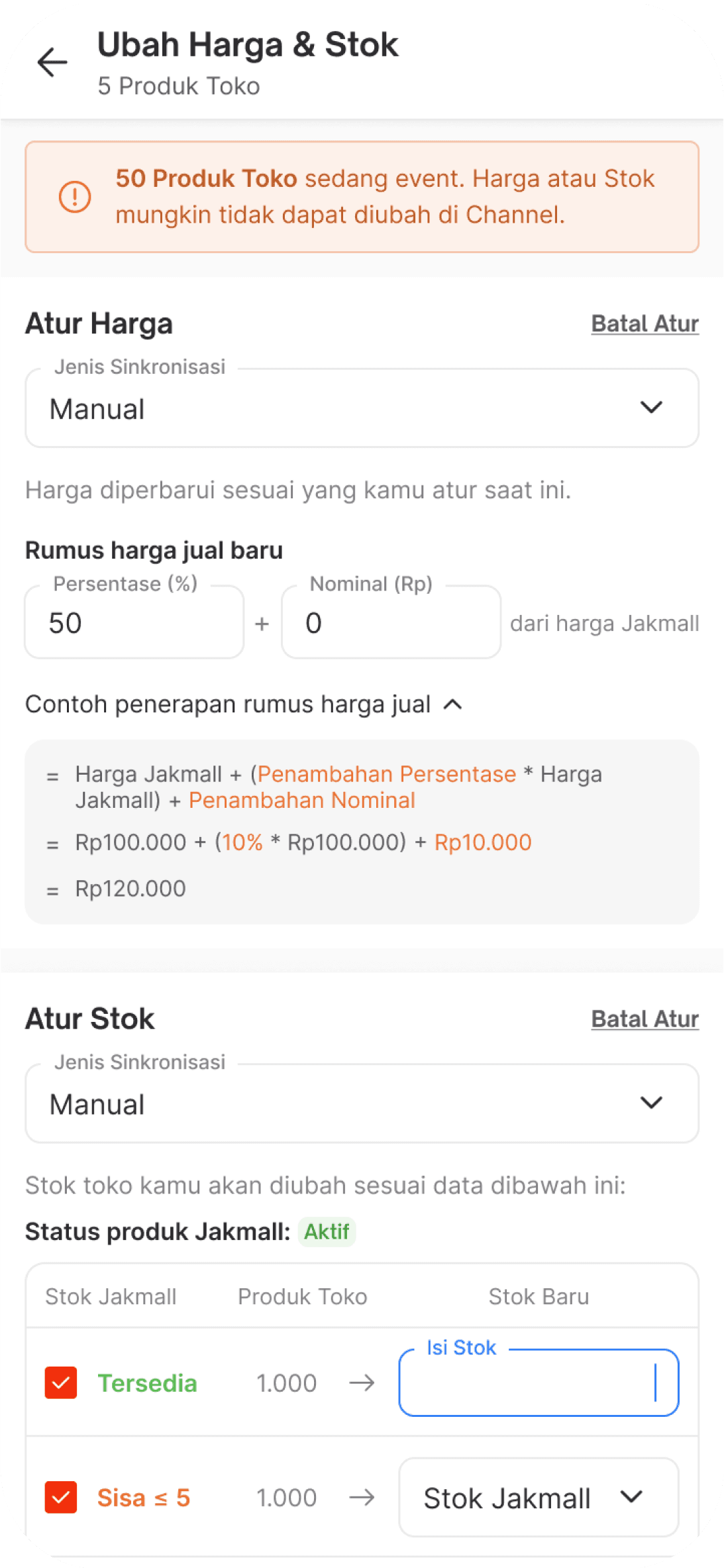
This feature allows you to start managing both stock and pricing in one place. You can adjust stock levels and set product prices simultaneously, streamlining the process and saving time—especially when managing multiple products at once. It's designed to make inventory control and pricing more efficient and intuitive for sellers.
Price and Stock Changes
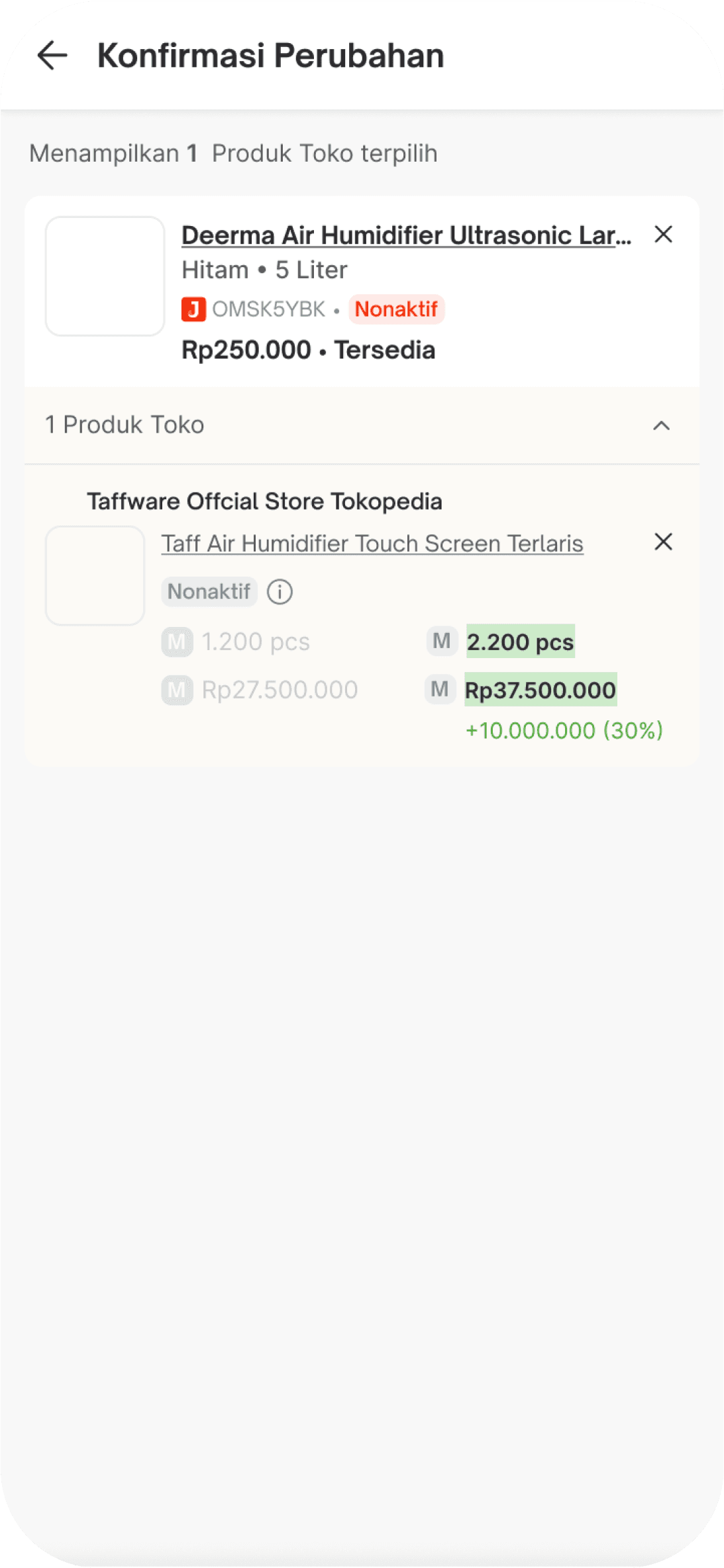
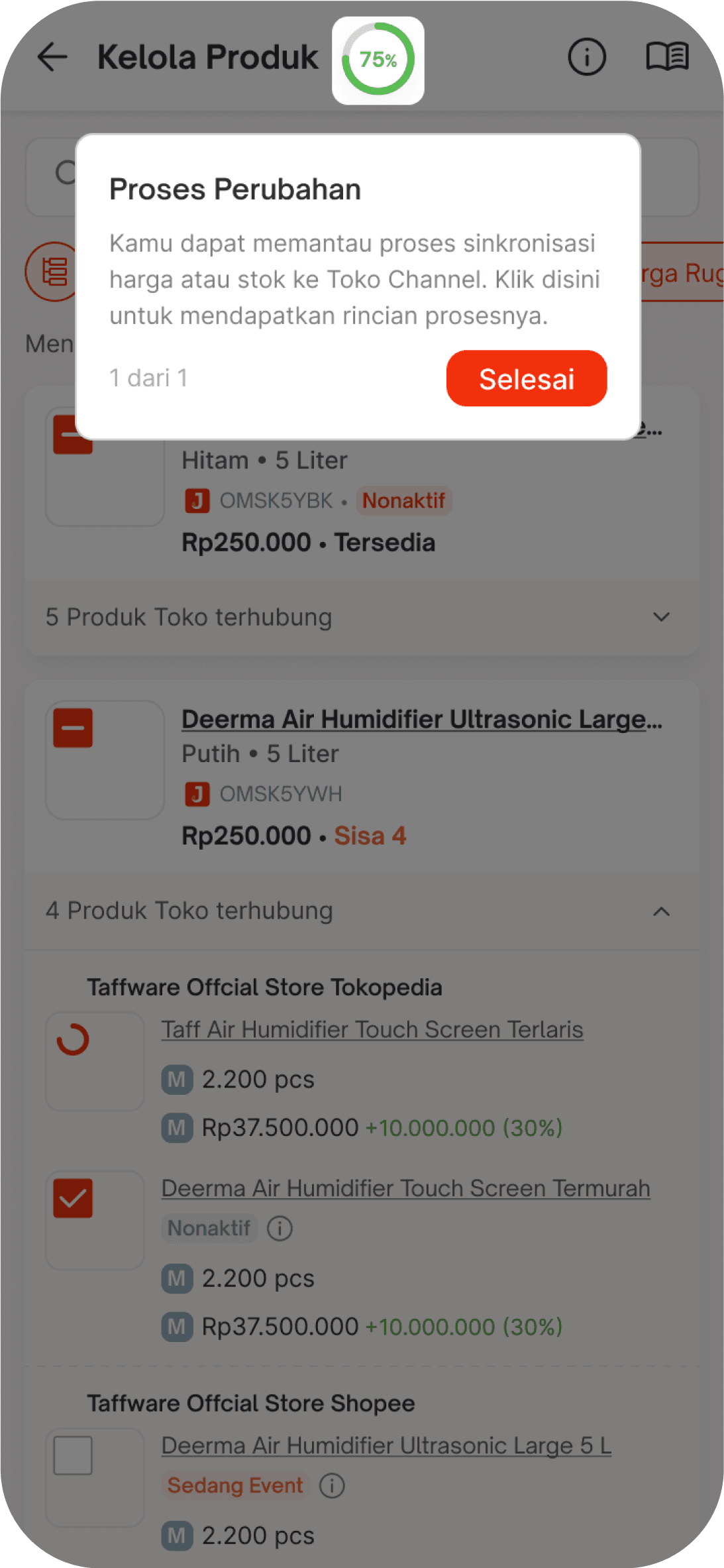
After updating the stock and price, a synchronization process will begin. This ensures that all changes made on the product management page are accurately reflected across the connected platforms. The sync helps maintain consistency between Jakmall and your store channels, reducing the risk of data mismatches or outdated information.

05. CLOSING
Impact
The redesigned Kelola Produk feature helped streamline product management for sellers. With clearer visual hierarchy, easier access to bulk actions, and improved stock and price controls, users were able to manage their inventory more efficiently. This reduced the time spent on repetitive tasks and minimized the risk of human error, especially for those handling large-scale catalogs.
Lesson Learned
This project taught me the importance of simplifying complex workflows without removing essential controls. I learned how crucial it is to balance usability with functionality, and how micro interactions like sticky action bars and batch editing can significantly enhance the user experience in daily operational tasks.
Let’s Connect
2025 All rights reserved