01. OVERVIEW
02. ROLE
Defined user flows based on seller behavior
I started by analyzing how sellers typically interact with the Jakmall Seller app especially around syncing products with external channels. Based on these behaviors, I mapped out a straightforward user flow that ensures sellers can easily access and understand their sync history without unnecessary friction.
Created wireframes and UI design
Once the flow was set, I translated it into low-fidelity wireframes to determine layout structure. After internal review and iterations, I moved on to high-fidelity UI designs using Figma focusing on visual hierarchy, clarity, and consistency with Jakmall’s design system.
Collaborated with the product manager and developer to refine the feature
Throughout the process, I worked closely with the product manager to ensure that user needs and business goals were reflected in the design. I also coordinated with developers to make sure every component was implementable, and I adjusted the UI based on technical feedback.
03. PROBLEM AND SOLUTION
Problem
Sellers on Jakmall often struggled to identify whether their product data was successfully synced to their store channels. The existing system lacked transparency and did not provide a clear log of past synchronization activities. This made it difficult for sellers to troubleshoot sync failures or confirm if their product updates had been delivered properly, resulting in confusion and operational inefficiencies.
Solution
I designed a clear and accessible page that shows the last 7 days of sync activity between Jakmall and Toko Channel. The interface highlights sync statuses (success, failed, in-progress), includes product details and changes to help sellers quickly understand and manage their data syncs more efficiently.
04. HIGH FIDELITY DESIGN
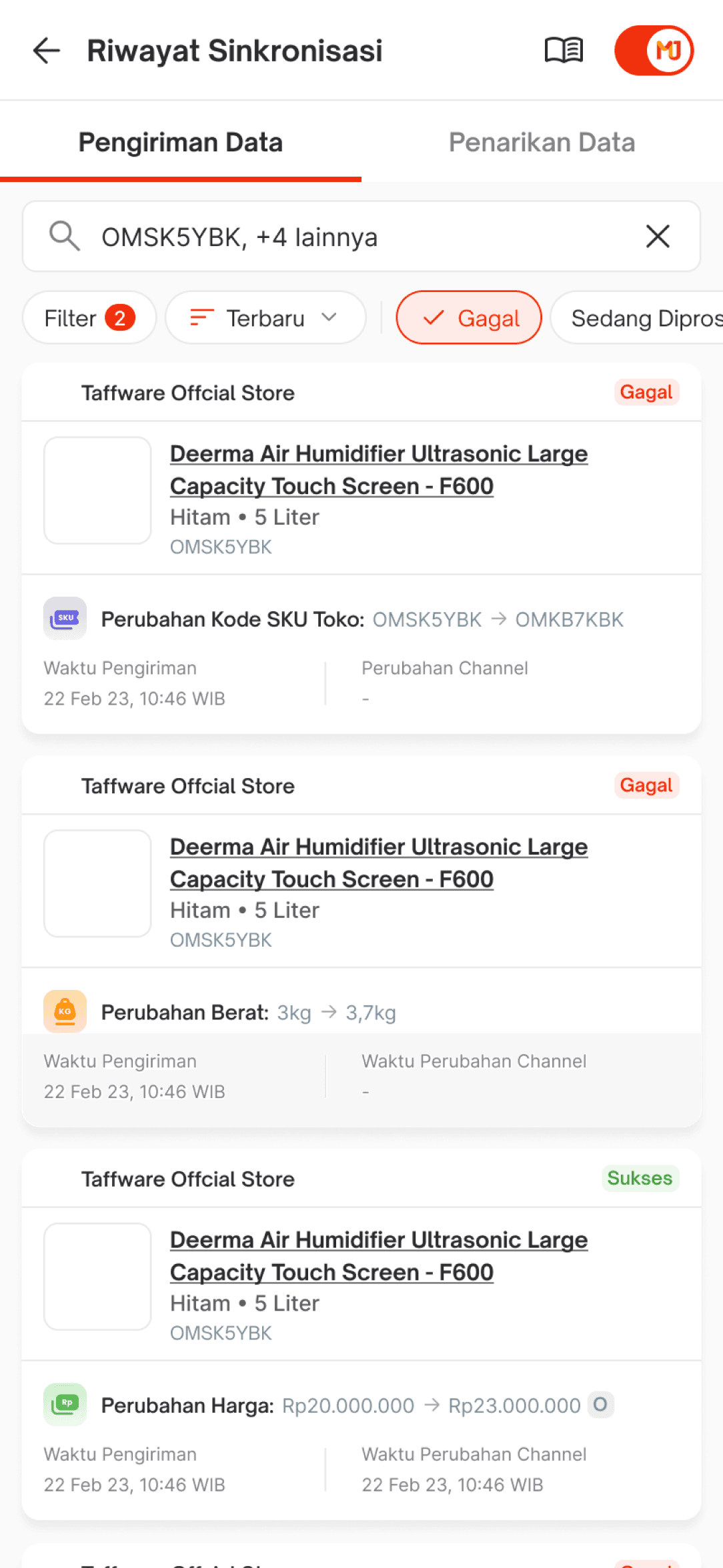
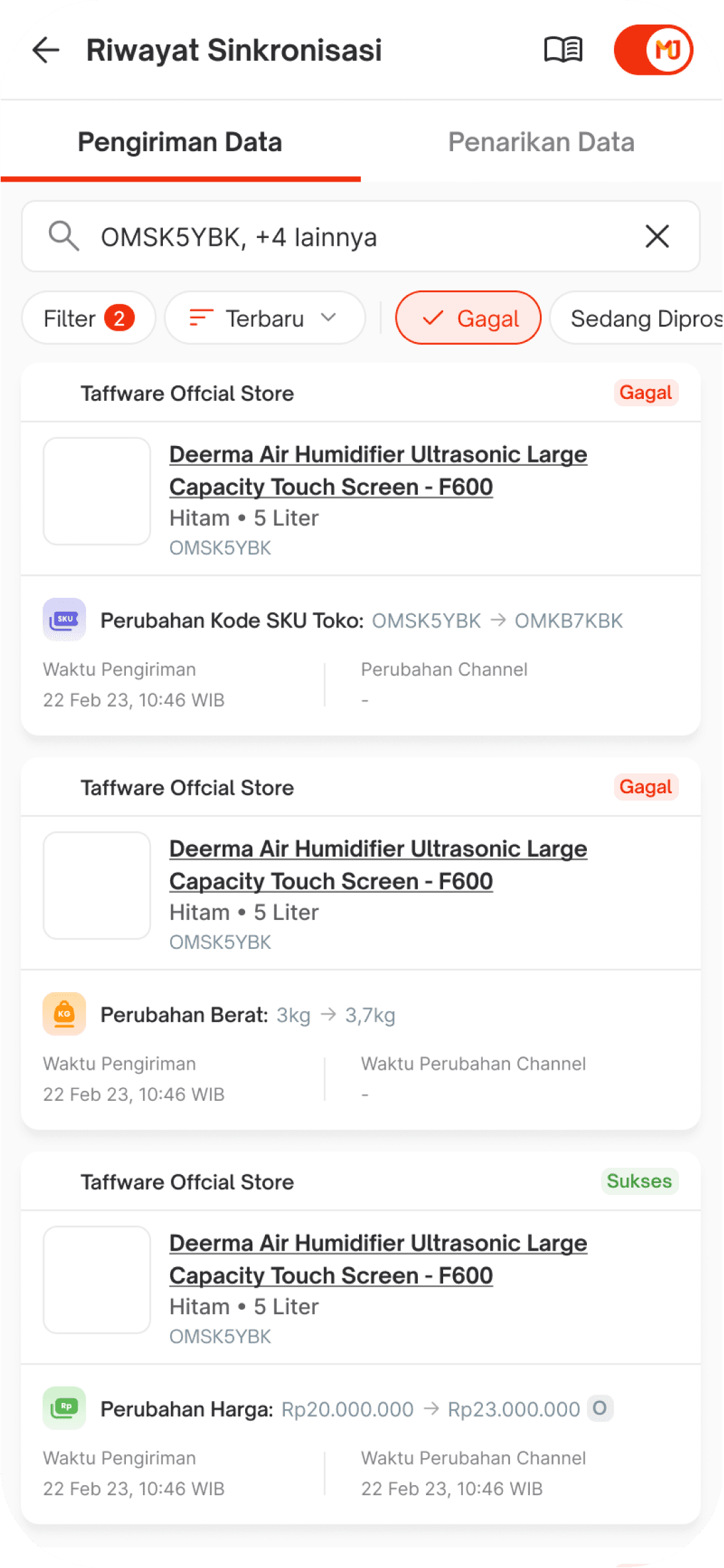
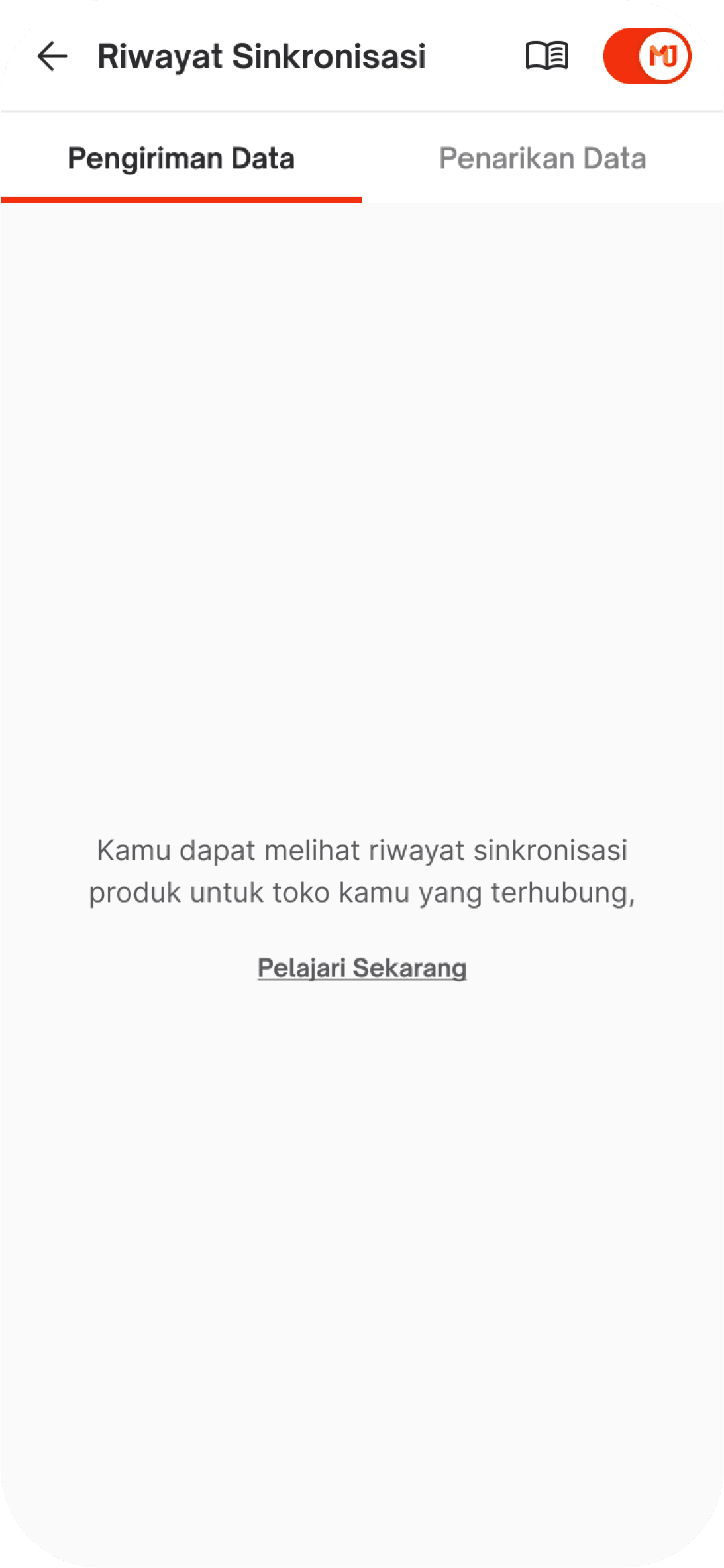
Pengiriman Data
You can view the complete history of product data transfers from Jakmall to Toko Channel through this feature. It provides a clear overview of all synchronization activities, including both successful and failed syncs. The system displays detailed logs from the past 7 days, allowing sellers to monitor the accuracy and status of their product data across platforms, helping ensure smooth operations and quick issue resolution.
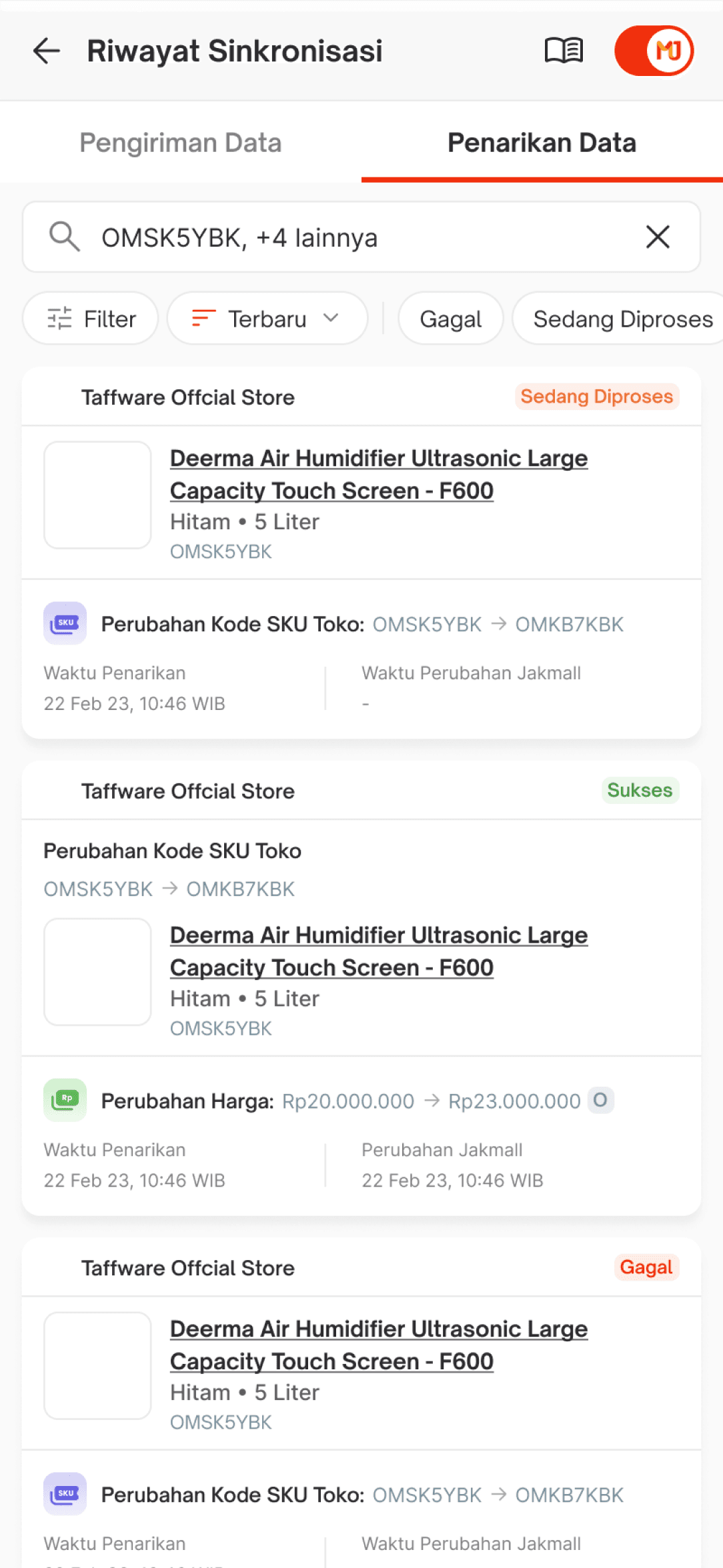
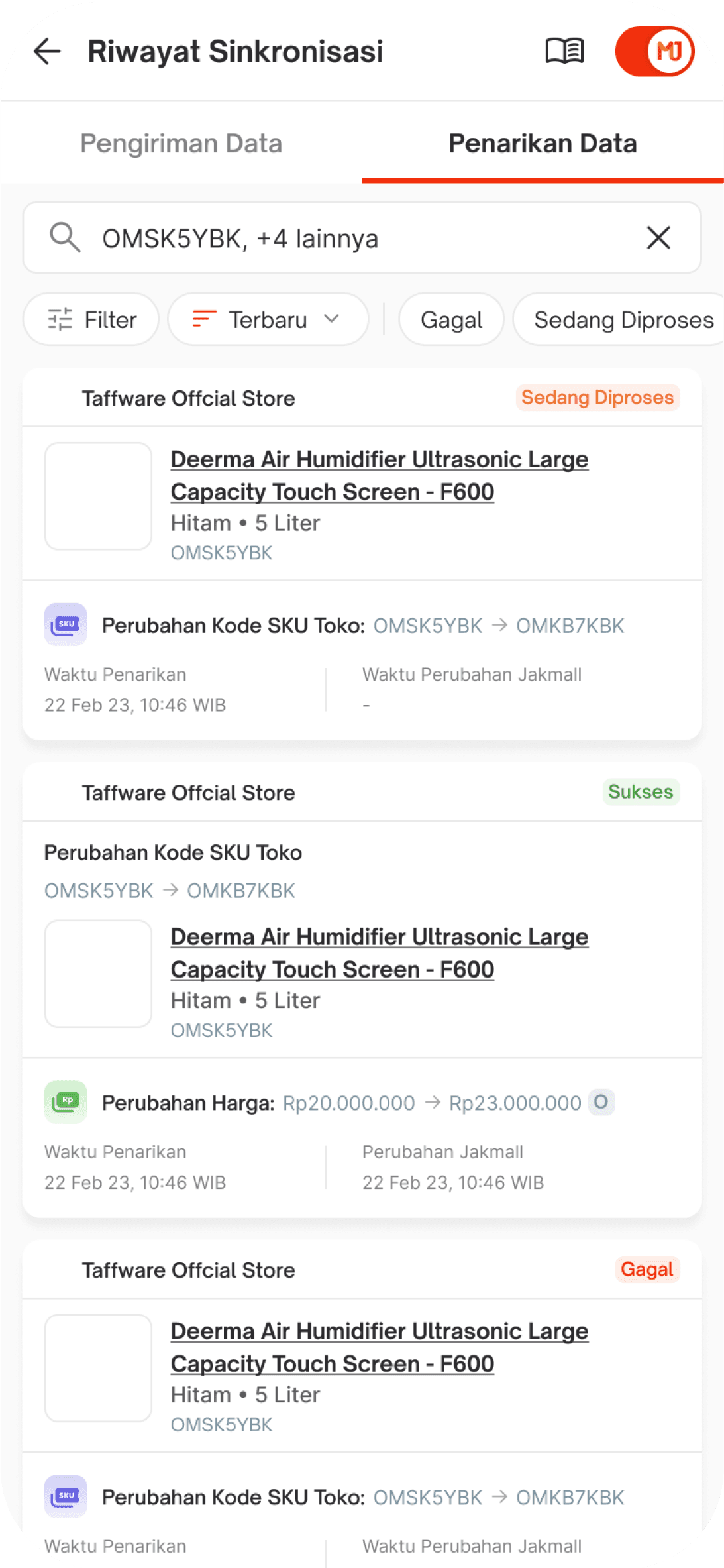
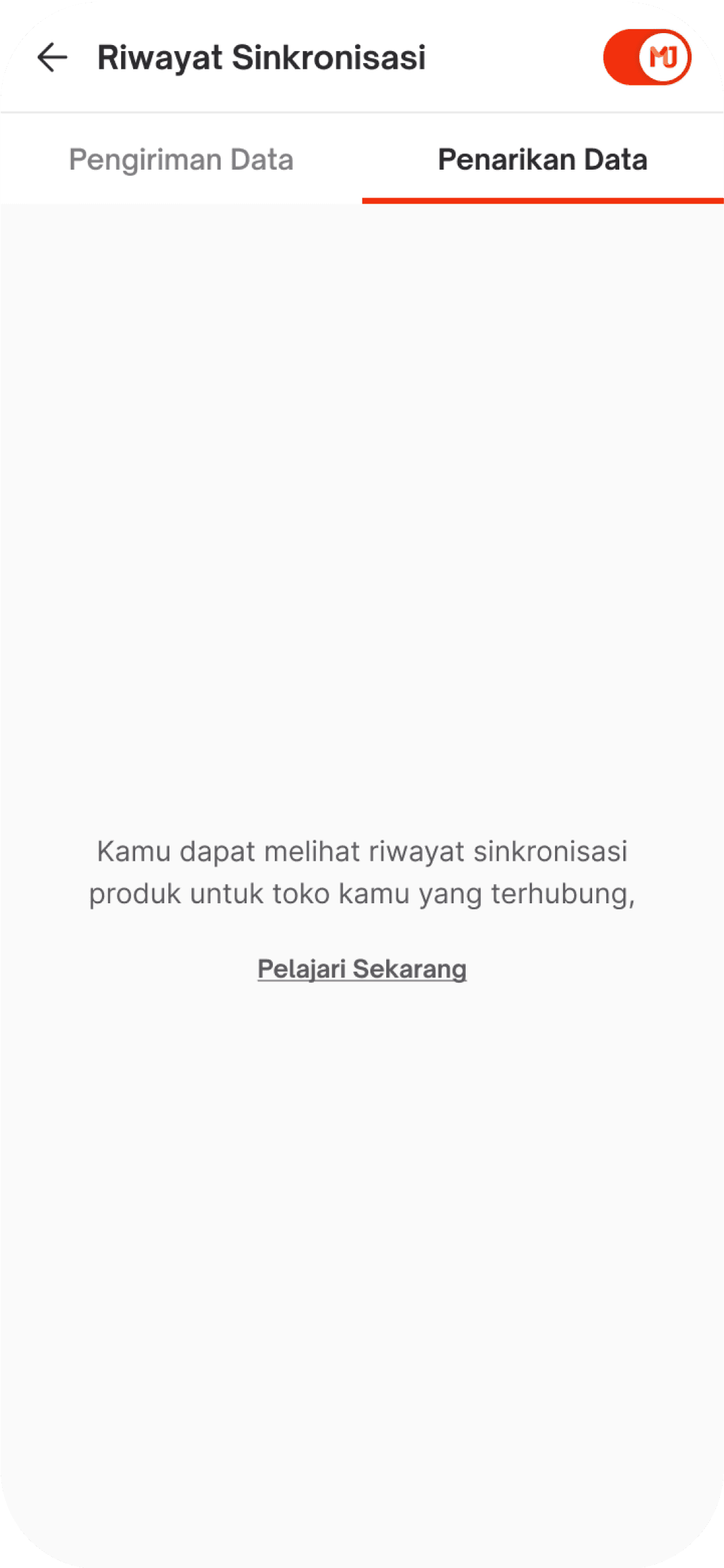
Penarikan Data
You can view the history of product data withdrawals from Toko Channel to Jakmall through this feature. It displays a detailed record of synchronization activities from the past 7 days, allowing sellers to track the transfer of product information back into the Jakmall system. Each entry includes timestamps and status indicators to help sellers ensure that their data is being updated accurately. This feature helps identify any potential issues during the sync process, ensuring that the product listings remain consistent and up to date across platforms.
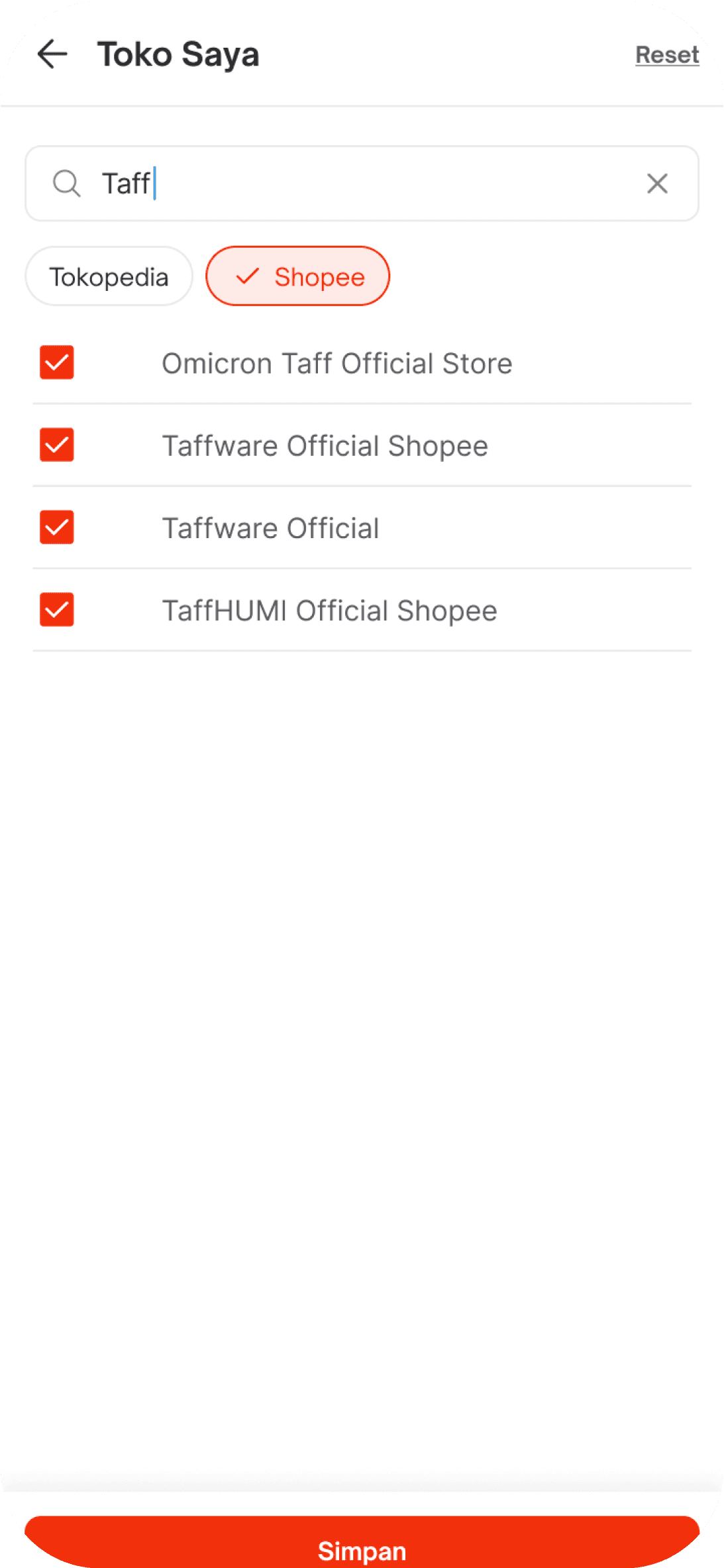
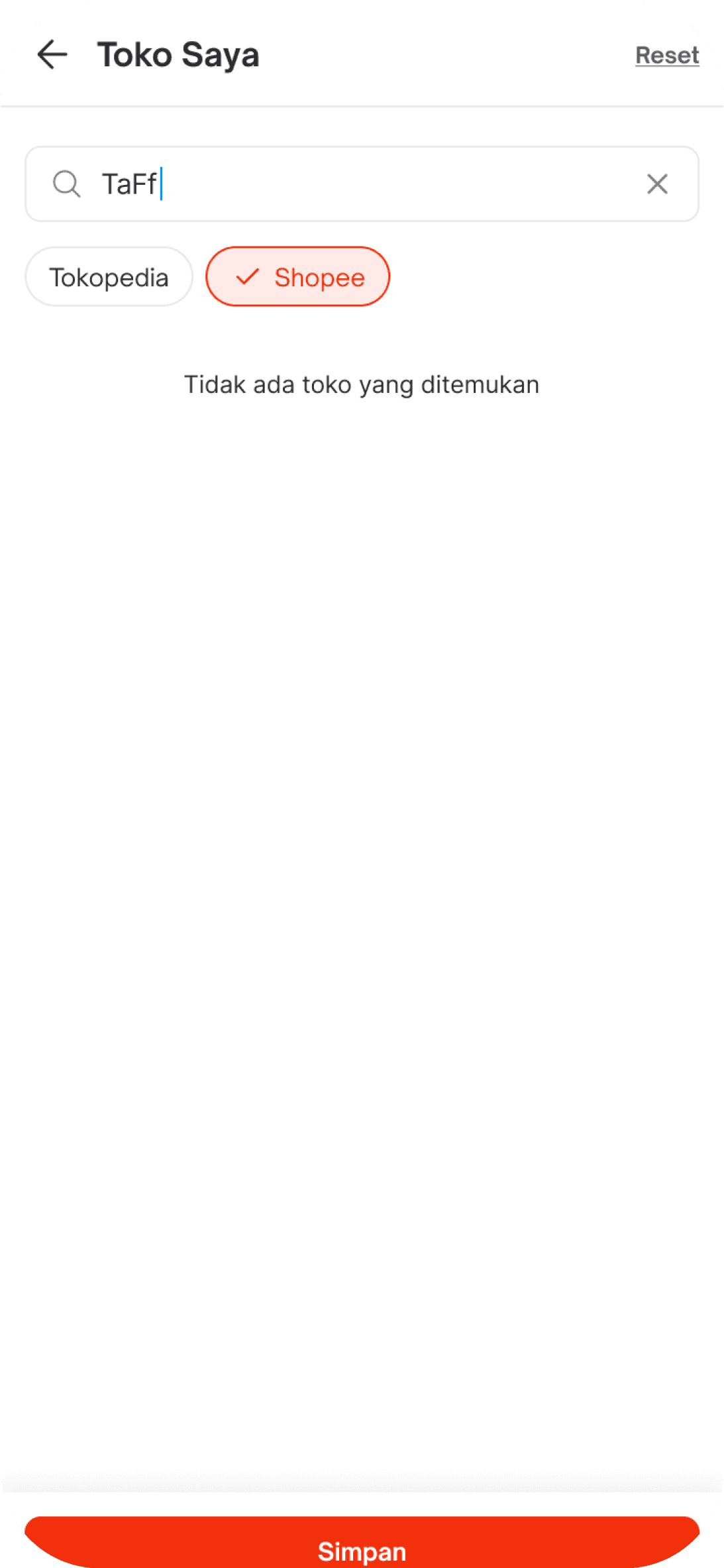
Search by Toko Saya/My Shop
This feature allows sellers to filter and search for specific shops connected to their marketplace channels such as Tokopedia and Shopee. By typing a keyword, users can quickly locate and select one or multiple shops to refine the synchronization history results. The filter also provides instant feedback if no matching shops are found, helping users confirm their shop data efficiently. This functionality ensures sellers can easily manage and monitor sync activities for selected stores, making the process more accurate and time-saving.
Search by Kode SKU/SKU Code
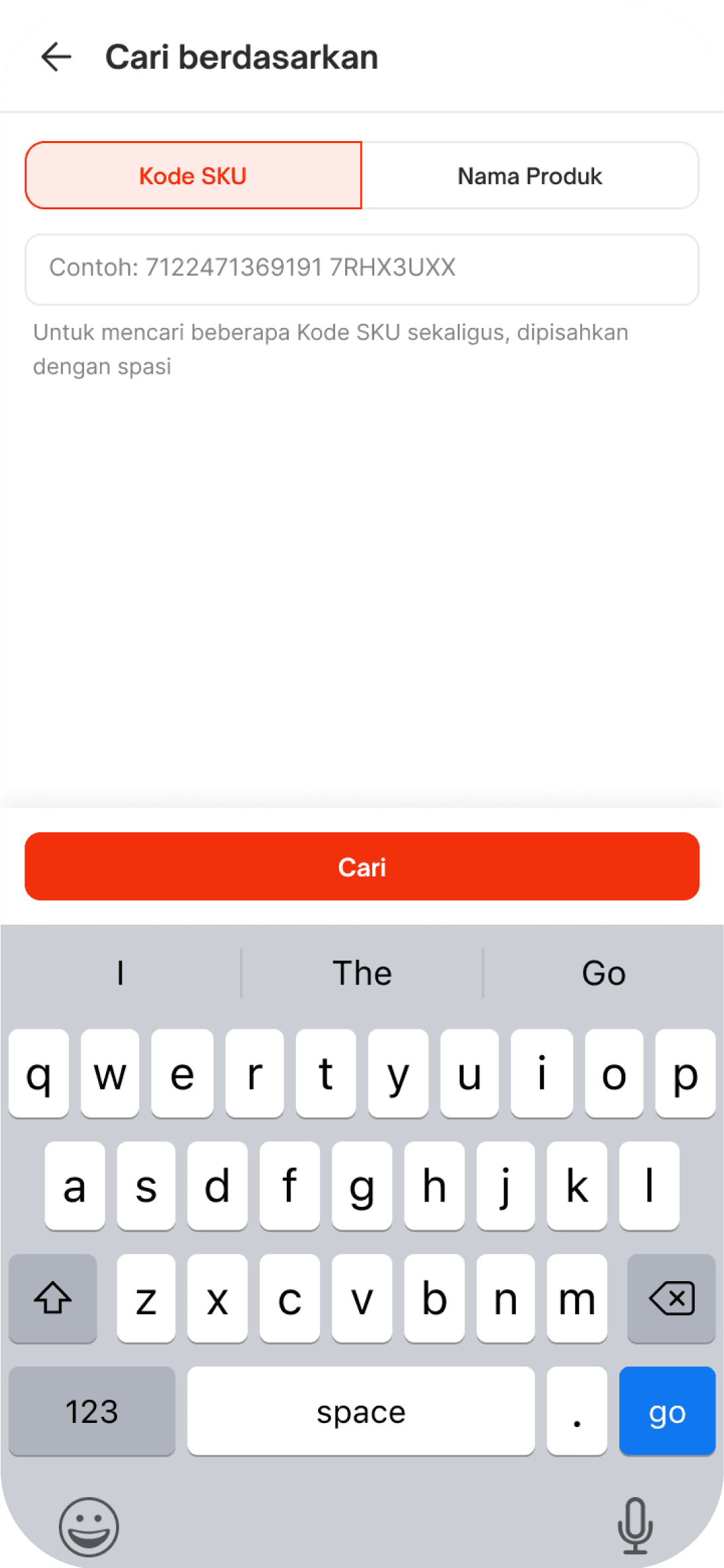
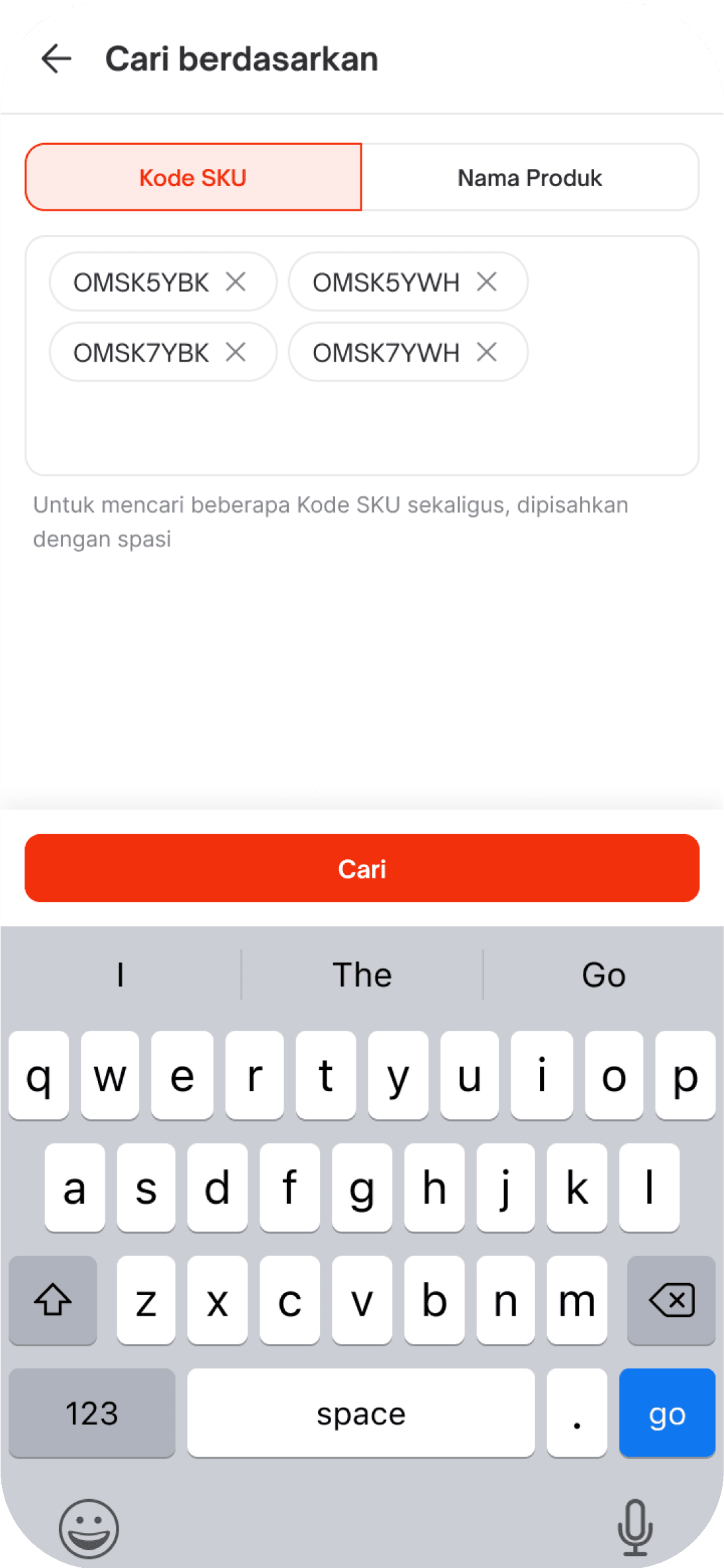
This feature allows sellers to search and filter synchronization history by entering one or multiple SKU codes. By doing so, sellers can quickly locate specific product entries that were withdrawn from Toko Channel to Jakmall within the past 7 days. The interface supports searching multiple SKUs at once, separated by spaces, making it convenient for sellers who manage a large number of products. This helps streamline the process of verifying product data, identifying sync issues, and ensuring that every product listed is accurately reflected and consistently maintained across all platforms.
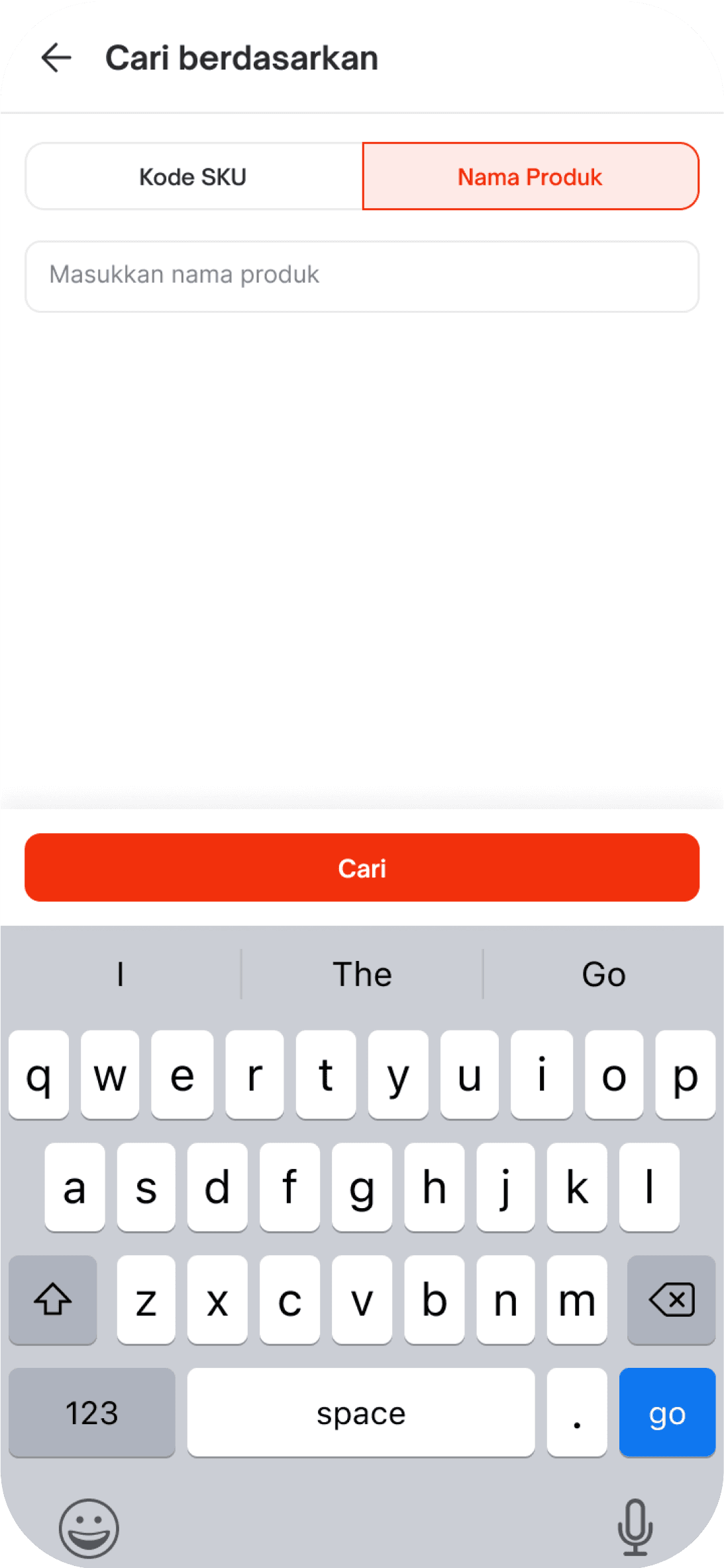
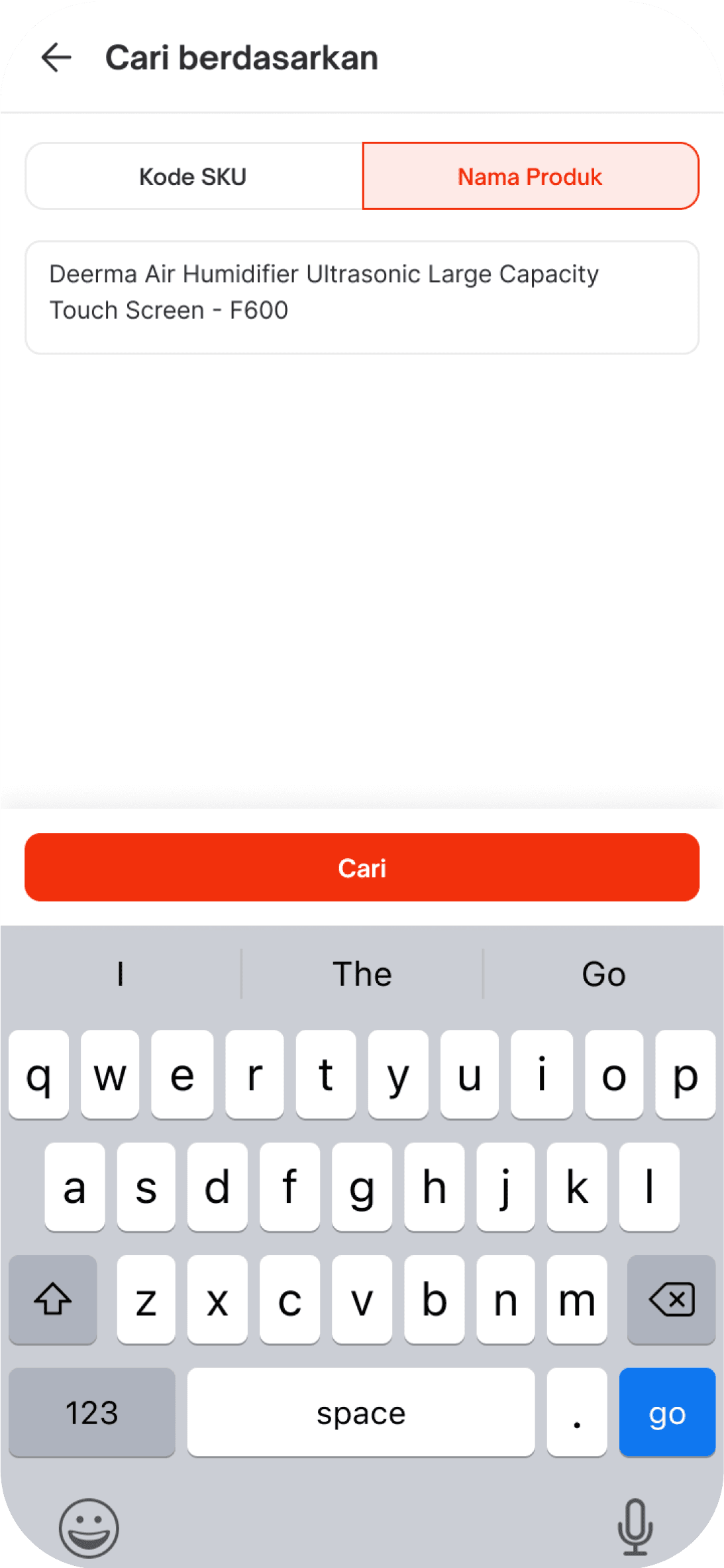
This feature enables sellers to search synchronization history using product names. It is especially helpful when the SKU code is unavailable or unknown. By entering the product name, sellers can locate specific synchronization records from the past 7 days, making it easier to verify product data that was transferred from Toko Channel to Jakmall. The interface displays relevant results based on keyword input, helping sellers identify and resolve potential issues quickly. This ensures that product information remains consistent, accurate, and synchronized across all platforms.
05. CLOSING
Impact
Improved user efficiency by allowing sellers to easily track synchronization activities within the last 7 days, reducing time spent on manual checking. Helped minimize data discrepancies between Jakmall and Toko Channel by providing clear visibility into sync history. Supported smoother product management for sellers, enhancing their ability to monitor and troubleshoot sync issues quickly.
Lesson Learned
I learned how to simplify complex data into an easy-to-digest interface, making it more intuitive for users with varying technical skills. I realized the importance of consistency in filtering and displaying historical data to maintain user trust and accuracy. I gained experience designing for real-world business needs, where usability and clarity are essential for daily operations.